Enhanced Conversions for Leads: The Technical Setup Guide for B2B RevOps
DATE: 2026-07-11
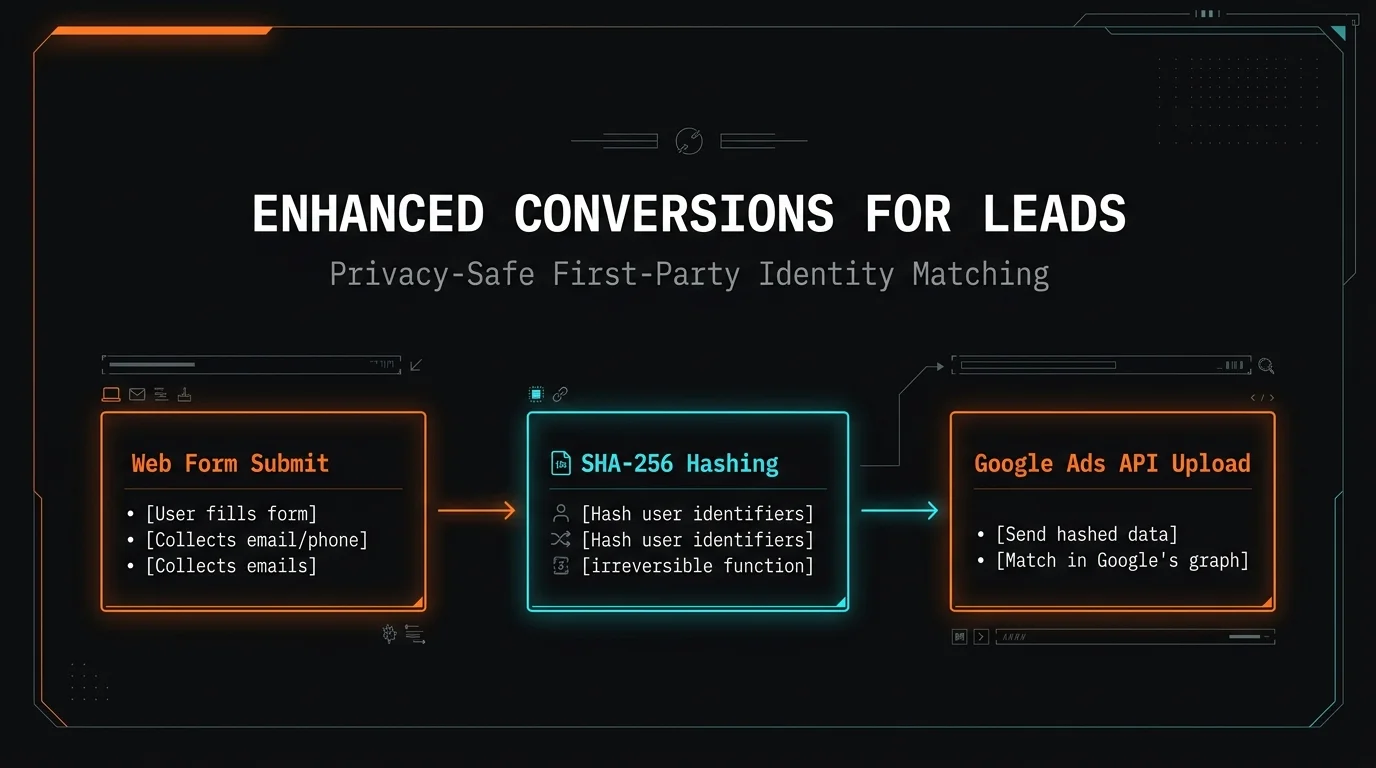
Enhanced Conversions for Leads: The Technical Setup Guide for B2B RevOps
Google's Enhanced Conversions for Leads (ECfL) bridges the gap between anonymous ad clicks and closed-won CRM data. Standard Google Ads conversion tracking relies heavily on browser cookies, which frequently drop off during long, multi-touch B2B sales cycles. ECfL solves this by capturing hashed, first-party user data—such as an email address or phone number—directly from your website’s lead forms. When that lead eventually converts inside your CRM weeks or months later, Google matches the hashed data back to the original ad click.
Implementing ECfL allows B2B revenue operations and growth engineering teams to optimize bidding strategies for actual pipeline value rather than top-of-funnel form fills. Moving from standard tracking to ECfL typically yields a 10% to 15% increase in tracked conversion volume and significantly reduces cost-per-acquisition (CPA) by feeding Google’s Smart Bidding algorithms higher-quality downstream data.
Architectural Mechanics of First-Party Data Matching
To build a reliable integration, you must first understand how data moves from a prospect's browser to your CRM, and ultimately back to Google's servers. The legacy method of tracking offline conversions required capturing and storing a Google Click Identifier (GCLID) via a hidden form field, passing it to the CRM, and uploading it manually or via API.
ECfL removes the rigid dependency on the GCLID. Instead, it leverages SHA-256 hashed first-party data as the primary key. When a user submits a form, the Google Tag (gtag.js) or Google Tag Manager (GTM) captures the raw input strings, normalizes them, hashes them client-side, and sends them securely to Google.
When the lead progresses to a qualified stage or closed-won status in your CRM (like Salesforce or HubSpot), your RevOps pipeline triggers an API upload. Google matches the hashed email address from your CRM with their internal map of logged-in Google users and historical ad interactions. Because email addresses remain consistent throughout the B2B buying journey—unlike ephemeral browser cookies—this matching mechanism survives cookie clearing, device switching, and cross-channel paths.
Technical Prerequisites and API Access Setup
Before writing code or configuring tags, your Google Ads account and cloud environment must meet specific compliance and technical baselines.
First, ensure that Enhanced Conversions for Leads is explicitly turned on in your Google Ads conversion settings. You must accept the customer data terms, which legally bind your organization to hashing protocols before data transmission.
1. Verification of Hashing Requirements
Google demands SHA-256 hashing for all user-provided data. Before transmission, data must be normalized:
Emails: Convert all characters to lowercase; remove all whitespace. Do not remove dots in Gmail addresses, despite standard Gmail behavior.
Phone Numbers: Must be formatted in international E.164 format (e.g., +14155552671) with leading plus signs and no hyphens or spaces.
2. Form Architecture Audit
Your front-end engineering team must verify that form fields are accessible programmatically via the DOM. Forms embedded inside un-entrusted