,250 to
,250 disappearing every month without generating a single qualified lead.
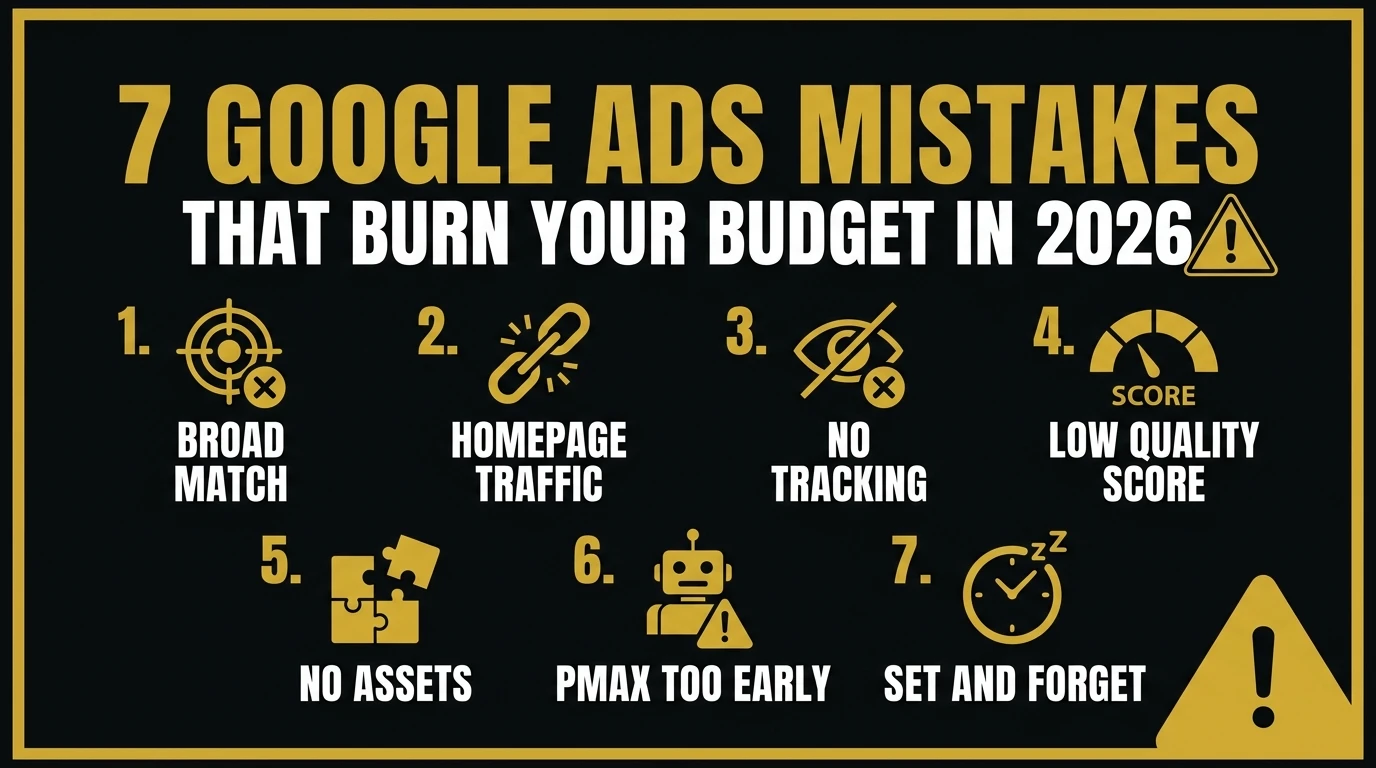
Here are the 7 mistakes I fix most often.
---
## Mistake #1: Running Broad Match Without a Negative Keyword List
This is the #1 budget killer in almost every account I audit. Google's broad match keyword type shows your ads for search queries that Google *thinks* are related — even if they're not.
If you're bidding on "project management software" with broad match, Google might show your ad for "free project management template" (low intent), "what is project management" (informational), or "project management certification" (completely wrong audience).
**The fix:** Pull your Search Terms report every week. Add irrelevant queries as negative keywords at the campaign or account level. Over 60–90 days, your negative keyword list becomes one of your most valuable campaign assets.
---
## Mistake #2: Sending All Traffic to the Homepage
Your homepage serves multiple audiences — it is not designed to convert a searcher who just clicked your ad for "Google Ads agency London." That searcher has one specific intent and needs a page that speaks directly to it with one clear CTA.
**The fix:** Build dedicated landing pages for each major campaign theme. Repeat the ad headline on the page, present the specific offer, include a single CTA form, and remove the top navigation. Conversion rates typically jump 30–80% from this change alone.
---
## Mistake #3: No Conversion Tracking (Or Broken Tracking)
I've audited accounts running $8,000/month with zero conversion tracking — completely blind to which campaigns or keywords were generating leads. Even worse: accounts where tracking is set up but broken, double-counting submissions or firing on page views instead of actual conversions.
**The fix:** Use GA4 + Google Ads linked conversion tracking with form submit events verified in Tag Assistant. You cannot optimize what you cannot measure.
---
## Mistake #4: Ignoring Quality Score
Quality Score is Google's 1–10 rating of how relevant your ad is to the search query and landing page. A low Quality Score (below 5) means you're paying more per click than competitors for the same position. A high score (8–10) means you pay less and rank higher.
I regularly see accounts where the ad headline has nothing to do with the keyword being bid on, sending traffic to a generic page. Quality Scores of 3 and 4 across the board — paying double what they should.
**The fix:** Align your keyword → ad copy → landing page as a single semantic unit. If your keyword is "CRM for small business," your headline should say exactly that and your landing page should open with the same phrase.
---
## Mistake #5: Not Using Ad Assets (Extensions)
Ad Assets add sitelinks, callouts, structured snippets, call buttons, and lead forms below your ad — increasing visual footprint and improving CTR at no additional cost per click. Most accounts have either no assets or generic sitelinks pointing to the homepage.
**The fix:** At minimum, configure sitelinks to specific service pages, callouts highlighting differentiators ("No Long-Term Contracts," "Same-Day Response"), structured snippets listing your services, and a call asset if you want phone leads.
---
## Mistake #6: Running PMAX Campaigns Without a Data Foundation
Performance Max campaigns show ads across Search, Display, YouTube, Gmail, and Maps using Google's AI. The problem: PMAX requires conversion data to optimize. If you launch with fewer than 30–50 conversions in your account history, the algorithm has nothing to learn from and will spend your budget on broad, untargeted impressions.
**The fix:** Build your conversion history first with standard Search campaigns. Once you have 50+ conversions per month, then consider layering in PMAX.
---
## Mistake #7: Setting Bids Once and Never Touching Them
Two common failure modes: setting Target CPA too low (algorithm can't find users who convert at that cost, barely spends), or setting Target ROAS too high (same outcome — delivery collapses).
**The fix:** For the first 30 days, use Maximize Conversions without a target. After 30–50 conversions, analyze your actual CPA, then set a Target CPA that's 20% above your current average to give the algorithm room to operate while nudging it toward efficiency.
---
## Quick Audit Checklist
- [ ] Search Terms report reviewed — new negatives added this week?
- [ ] Dedicated landing page for each major keyword theme?
- [ ] Conversion tracking verified — firing correctly?
- [ ] Quality Scores checked — any keywords below 5?
- [ ] All asset types configured (sitelinks, callouts, structured snippets)?
- [ ] PMAX campaigns — do you have 50+ monthly conversions to justify them?
- [ ] Bidding strategy based on actual account data?
If you check all seven, you're in the top 20% of Google Ads accounts.
---
If you want me to run a full audit on your account, I'll record a walkthrough of everything I find with a prioritized fix list. Reach out via the [contact page](/contact) or on [Upwork](https://www.upwork.com/freelancers/waleedraxadigitalmarketing).
---
## About the Author
I'm **Waleed Raza** — a Solutions Architect and Digital Growth Engineer. I audit and rebuild Google Ads accounts for B2B services, SaaS, and e-commerce through [StratDigi Pros](https://stratdigipros.com).
→ **[Hire me on Upwork](https://www.upwork.com/freelancers/waleedraxadigitalmarketing)** | **[LinkedIn](https://www.linkedin.com/in/waleed-raxa/)** | **[Request an audit](/contact)**
---
## Related Reading
Once your campaign structure is clean, the next layer is attribution — making sure you're measuring what's actually generating revenue:
- **[Why Google Ads Still Delivers Faster Results Than Organic Marketing](/post/google-ads-faster-than-organic-seo)** — The case for paid search, and when to use it vs. SEO
- **[Attribution in a Post-Cookie World](/post/attribution-post-cookie-world)** — Why your conversion data is likely undercounting
- **[Bypassing the Attribution Gap: Server-Side GTM Guide](/post/sgtm-attribution-cookieless-setup)** — The technical fix for broken ad attribution from ad blockers and ITP7 Common Google Ads Mistakes Businesses Make in 2026
DATE: 2026-07-19
## What a Google Ads Audit Actually Reveals
When a new client sends me access to their Google Ads account, the first thing I do is run an audit. The problems are almost always there, and they're almost always the same problems I've seen dozens of times before.
The average account I audit is wasting between 25% and 45% of its monthly budget on avoidable mistakes. On a $5,000/month budget, that's