00, and Meta records a browser purchase *and* a server purchase, your ROAS reports will show
00 in revenue. This is where deduplication becomes critical.
---
## The Mechanics of Deduplication: The matching keys
Meta's deduplication engine uses a simple matching logic. When it receives an event, it looks at two specific fields:
1. **`event_name`**: The type of action (e.g., `Purchase`, `Lead`, `AddToCart`).
2. **`event_id`**: A unique string generated at the moment the action occurs.
If Meta receives a browser pixel event and a server event within 48 hours that share the **exact same** `event_name` and `event_id`, it merges them. It uses the richer user data from the server event to attribute the conversion while discarding the duplicate browser event, preventing double-reporting.

The trick is generating a unique `event_id` on the frontend and passing it down to both streams. For example, if you generate a transaction ID `TX-98765` when a user checkouts:
* The browser pixel fires `fbq('track', 'Purchase', { ... }, { eventID: 'TX-98765' });`
* The backend CRM or sGTM container calls the Meta CAPI endpoint sending `event_id: 'TX-98765'`.
When they arrive at Meta’s servers, the deduplication engine matches them, keeping your reporting clean and accurate.
---
## Step-by-Step sGTM Meta CAPI Configuration
Let's look at how to set this up using a server-side Tag Manager container (sGTM). I always recommend sGTM because it acts as a central staging routing layer, keeping your API tokens secure.
### Step 1: Generate your Meta CAPI Access Token
1. Go to your **Meta Events Manager** -> **Settings**.
2. Scroll down to the **Conversions API** section and click **Generate Access Token**.
3. Copy this token and store it securely (preferably in your server environment variables or sGTM Constants).
### Step 2: Configure the Browser GTM Container
Before sending server events, your browser container must generate the `event_id` and pass it to both the browser pixel tag and the server-side tag.
1. Create a custom JavaScript variable to generate a random unique ID (or use a GTM variable template like "Unique Event ID").
2. In your Meta Pixel tags, add the `event_id` parameter to the Tag Configuration.
3. In your Google Tag (or GA4 Event tag) routing data to your sGTM container, pass this same variable as a parameter called `event_id`.
### Step 3: Configure the sGTM Container
1. Open your sGTM container, go to **Templates**, and search the Gallery for the official **Meta Conversions API (CAPI)** tag.
2. Create a new Tag, set it to the Meta CAPI template, and input your Pixel ID and Access Token.
3. Map the trigger to fire on incoming GA4 client events (e.g., when the client receives `purchase` or `lead`).
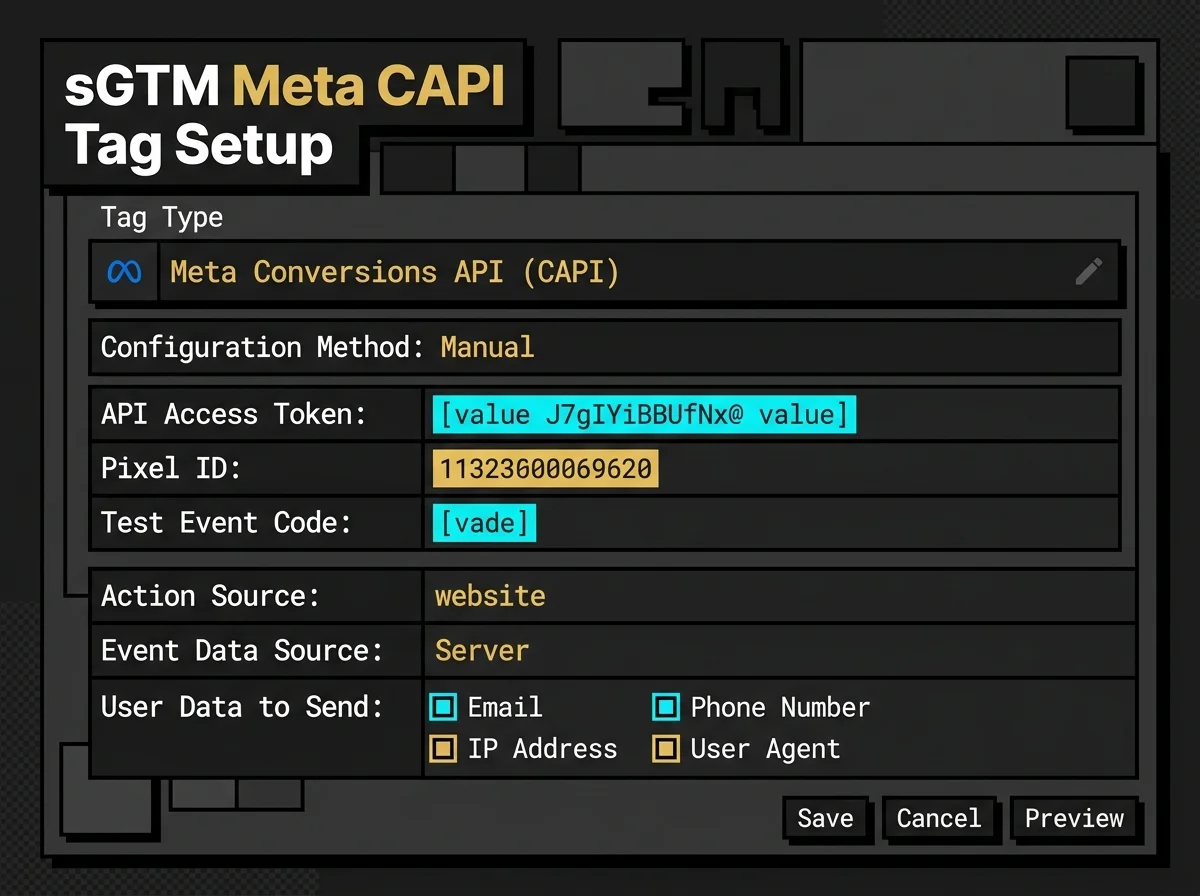
Make sure to map user parameters like email, phone, IP address, and user agent from the incoming event data. The server tag will automatically hash them using SHA-256 before transmitting them to Meta.
---
## Testing and Verification in Meta Events Manager
Once deployed, you need to verify that deduplication is working.
Go to **Meta Events Manager**, select your Pixel, and go to the **Test Events** tab. Under the Server section, copy your CAPI Test Event Code (it usually starts with `TEST` followed by numbers).
Paste this code into your sGTM Conversions API tag configuration, and run a test purchase on your site.
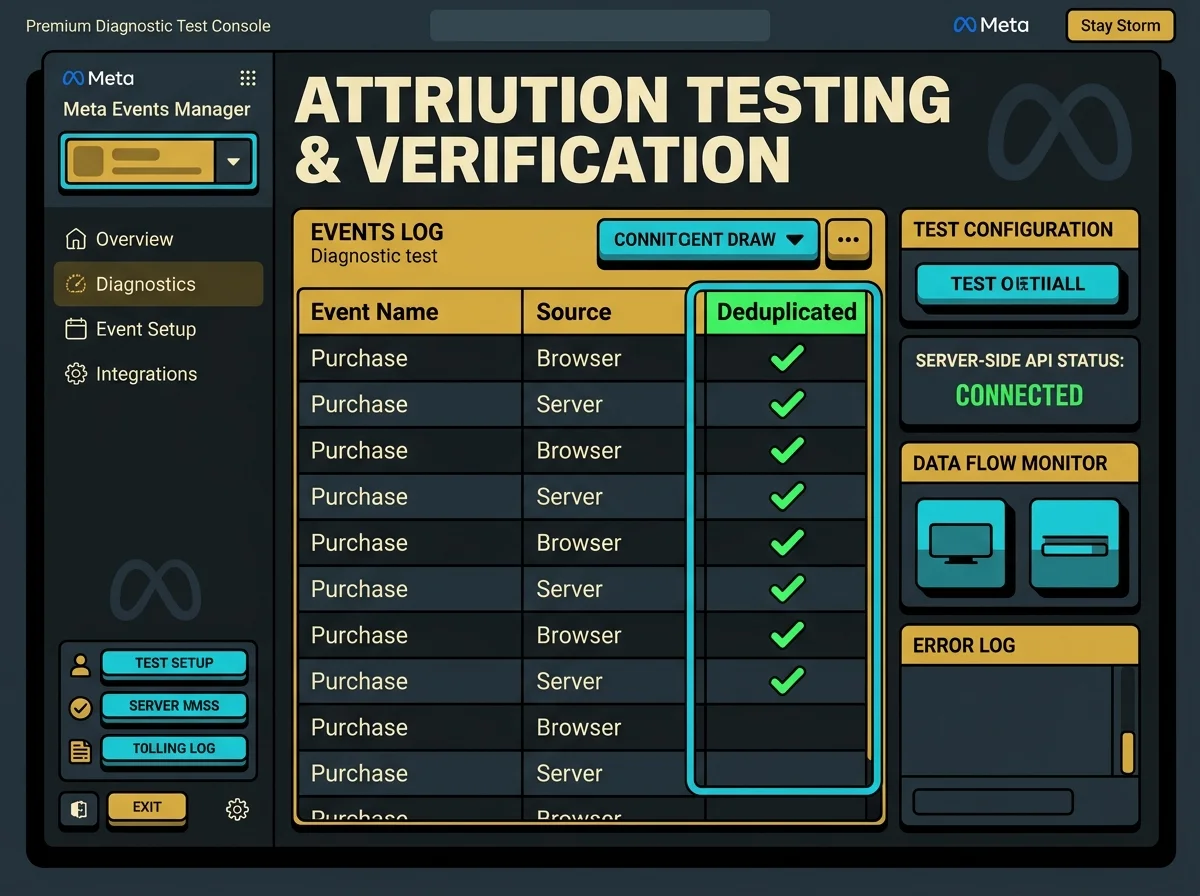
In the Test Events panel, you should see two entries for each event:
* A **Browser** source entry.
* A **Server** source entry.
Next to them, Meta should display a status badge: **Deduplicated**. This confirms the engine successfully matched the `event_id` keys and merged the streams.
---
## The Logical Deduplication Flow
To visualize the engine's internal decisions, look at this logical flowchart of the browser-server event queue:
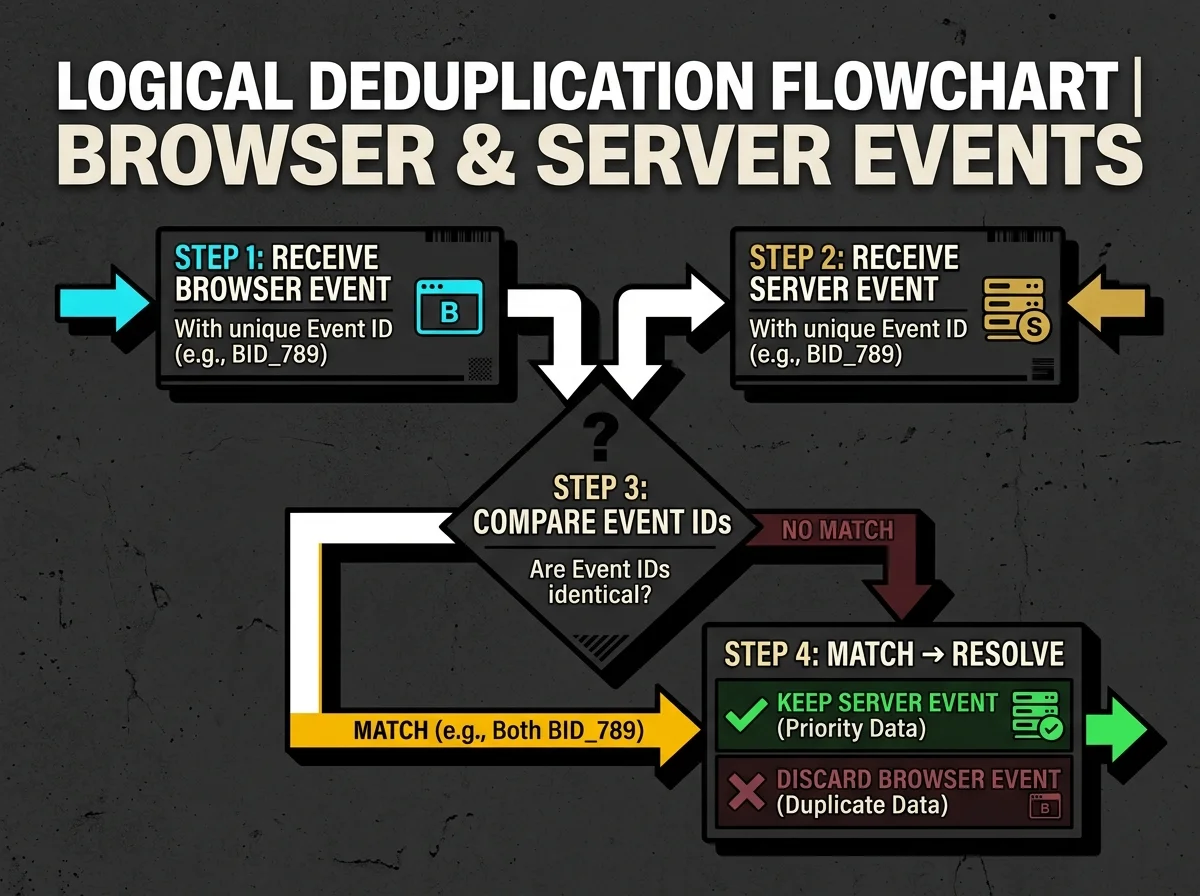
When the browser stream is received first, it is logged immediately. If a matching server stream arrives later with the identical ID, the deduplication engine merges the records and marks the browser event as "Deduplicated" in your reports, prioritising the server data for attribution.
---
## Enhancing the Event Quality Score
Simply deduping your events isn't enough. To feed Meta's delivery algorithms effectively, you need a high **Event Quality Score**. This score (rated out of 10) measures how well your server-side payload matches against actual Meta user accounts.
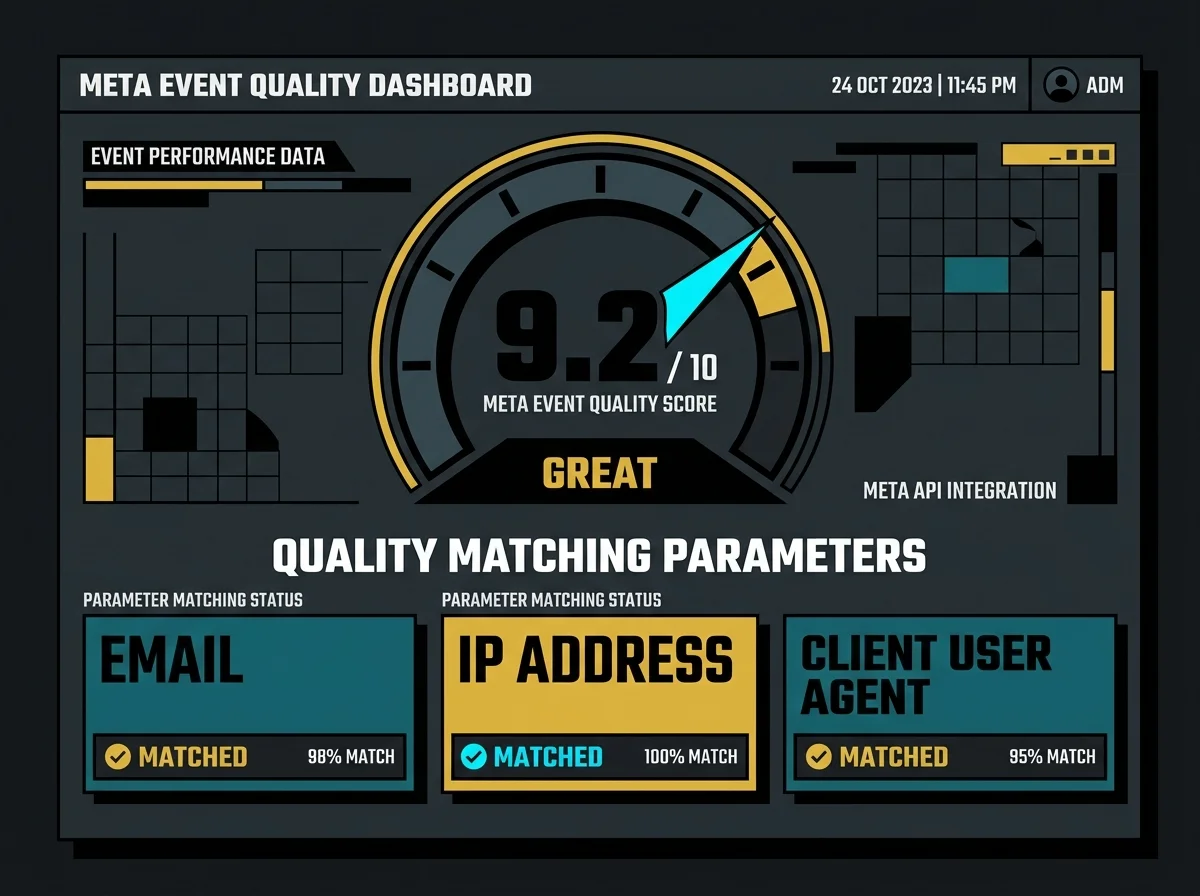
To improve your score:
* **Send multiple user identifiers:** Don't just send the email. Send the phone number, first/last name, city, state, and zip code.
* **Include browser context parameters:** Always pass the user's IP address, client user agent, and the `_fbp`/`_fbc` cookie values from the sGTM container.
* **Hash data correctly:** Ensure all personal identifiers are hashed with SHA-256 before sending (sGTM tags handle this automatically if configured right).
A higher quality score directly correlates with better campaign attribution, lower acquisition costs, and more efficient ad targeting.
---
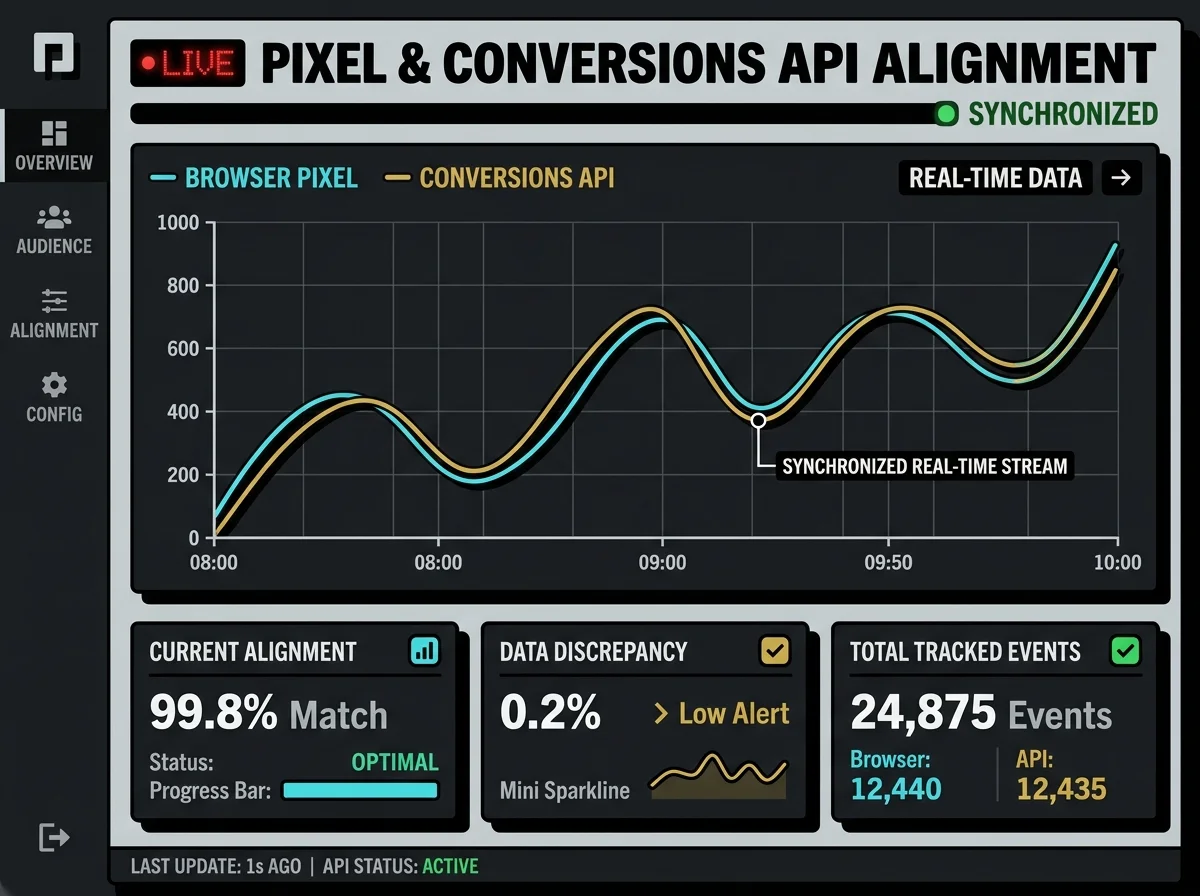
## Pixel & Conversions API Alignment
When both streams are aligned, your data discrepancy drops to near zero. A healthy tracking setup should show both curves matching in real-time, capturing every single user interaction without data loss or duplicate reports.
---
## My Practical Experience: Recovering Attributed ROAS
In my work setting up server-to-server tracking for lead-generation and e-commerce brands, I’ve seen deduplication issues break optimization models repeatedly.
I recently audited an account where the agency had set up both Pixel and Conversions API tags, but they forgot to pass the `event_id` parameter to the server-side tag. The result? Meta was double-counting purchases. The client's ad manager showed a 4.2x ROAS, but their actual bank records showed they were barely breaking even. Within 2 hours of aligning the `event_id` across browser GTM and our sGTM container, the double-counting stopped, their ROAS reports normalized, and their smart bidding algorithm started optimizing on clean, actual purchases.
If your marketing dashboards are double-counting conversions, or if you suspect you're losing up to 30% of your attribution data due to ad blockers, let's fix it.
---
## Get in Touch
If you need to audit your Meta CAPI setup, build a custom data pipeline, or resolve tracking discrepancies, feel free to reach out. I design and implement custom, server-side data systems for high-growth operations.
* Connect with me on [LinkedIn](https://www.linkedin.com/in/waleed-raxa/)
* Hire me for custom projects on [Upwork](https://www.upwork.com/freelancers/waleedraxadigitalmarketing)Feeding the Meta Pixel: A Solutions Architect's Guide to Conversions API (CAPI) Deduplication
DATE: 2026-07-05
# Feeding the Meta Pixel: A Solutions Architect's Guide to Conversions API (CAPI) Deduplication
### Key Takeaways (TL;DR)
* **The Redundancy Rule:** Meta recommends sending *both* browser pixel events and Conversions API (CAPI) server events. This dual-stream setup ensures coverage if one channel is blocked or fails.
* **The Deduplication Key:** To prevent double-counting conversions, you must send an identical `event_name` and `event_id` from both browser and server sources for the same user action.
* **Parameter Alignment:** High match rates require matching first-party parameters (hashed email, phone, IP address, user agent) across both streams.
* **Debugging in Real-Time:** Meta Events Manager provides a live deduplication status and an Event Quality Score (out of 10) to verify your setup.
---
## The Duplicate Stream Dilemma: Why Browser + Server is Mandatory
When I audit a client's tracking setup, one of the most common questions I get is: *"If we are setting up the Meta Conversions API (server-side), why don't we just turn off the browser pixel entirely?"*
It seems logical. If client-side tracking is vulnerable to ad blockers, ITP limitations, and script-blocking extensions, why keep it around? Why not route everything through a clean, reliable server-side setup?
The answer lies in how Meta’s machine learning models optimize campaigns. The browser pixel executes in the user's local session. It has immediate, direct access to device-level context, browser-specific cookies (`_fbp`, `_fbc`), and user behavior signals. The server-side API, on the other hand, relies on what your backend database or cloud container sends.
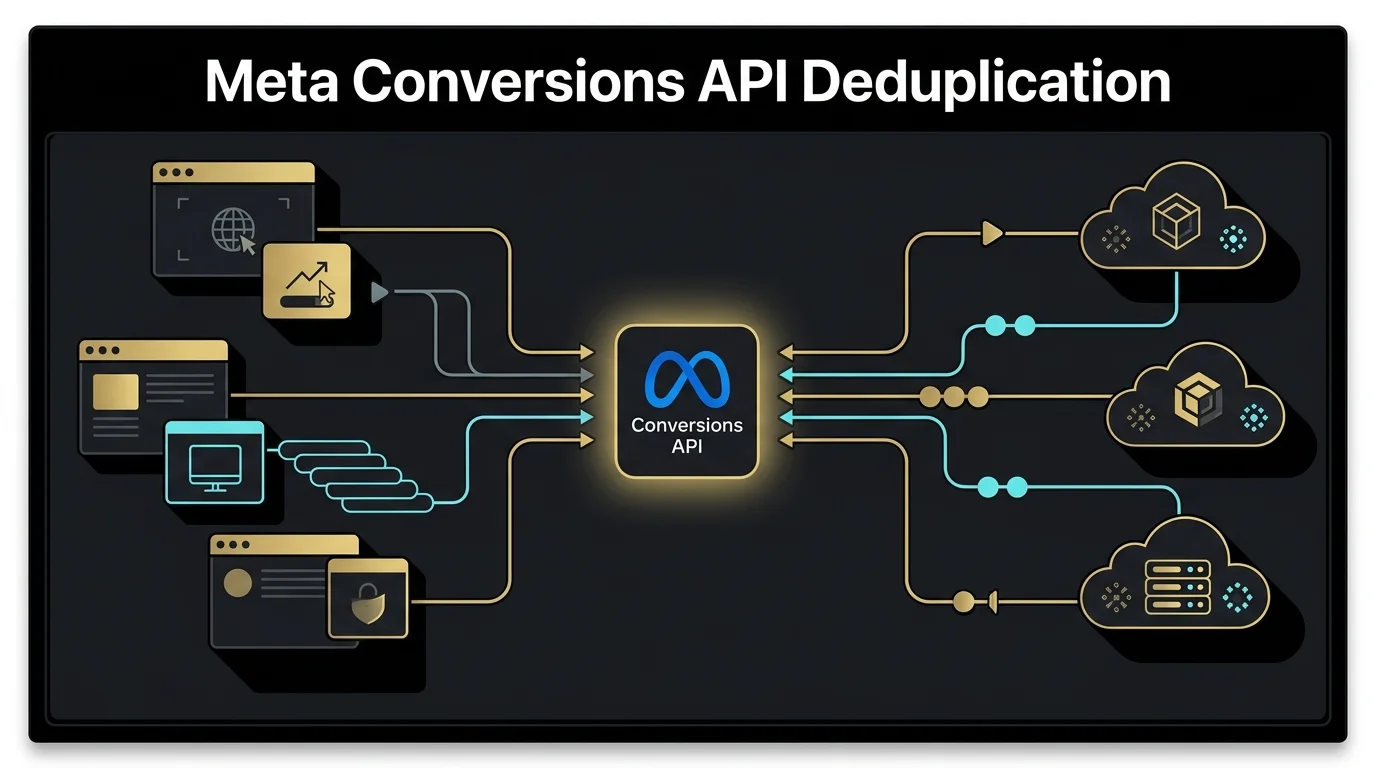
By running a **dual-stream tracking architecture** (Browser Pixel + Conversions API), you get the best of both worlds. The browser pixel captures fast front-end interactions, while the Conversions API serves as a secure backup, recovering data that the browser lost due to connectivity drops, privacy blocks, or ad blockers.

But sending the same event twice creates a massive problem: **Double-Counting**. If a user buys a product for